
Description
This article will guide you through how to setup the default mode when performing a patient search.
Step-by-Step
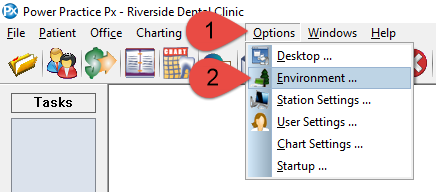
- From the top menu bar, select Options.
- The select Environment from the drop down menu.
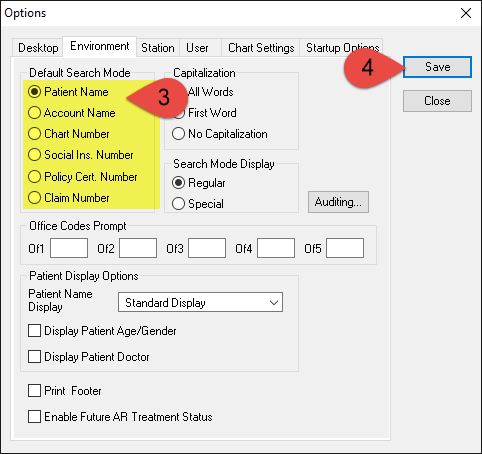
- Select the Default Search Mode found on the left side of the the pop up window that appears.
- Select the Save button.
Additional Resources

