
Description
version 5.0 +
This article will guide you through setting the font size and type that will be used when printing. This is especially useful when printing grids like the patients appointment history.
Step-by-Step
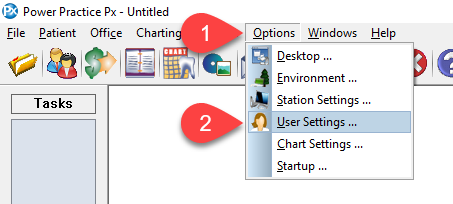
- Select Options from the top menu bar.
- Then select the User Settings… option from the drop down menu.
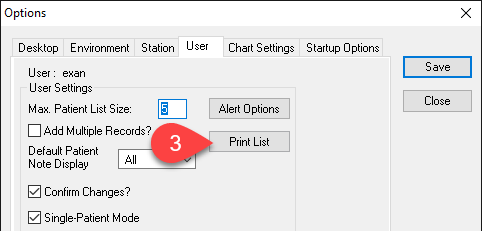
- Select the Print List button.

- Select your preferred Font Size and Font Types from the drop down fields.
You can select the Display this Screen for every Print? check box if you want this Print List Options window to pop up every time you print.
- Select the OK button to save the settings.

